Nova Set Manager
Edit, merge and convert your Korg Pa sets between models on your computer
Opens Pa5x and older Pa sets in an interface that looks like the keyboard's own screen, and moves styles, sounds, pads and keyboard sets between sets by drag and drop. Converts Pa4X, Pa1000/Pa700 and Pa3X family sets to Pa5x, Pa5x sets to older models, and older models to each other.
-
Idea
-
Planning
-
In development
-
Beta
-
Released
Product overview
What does it do?
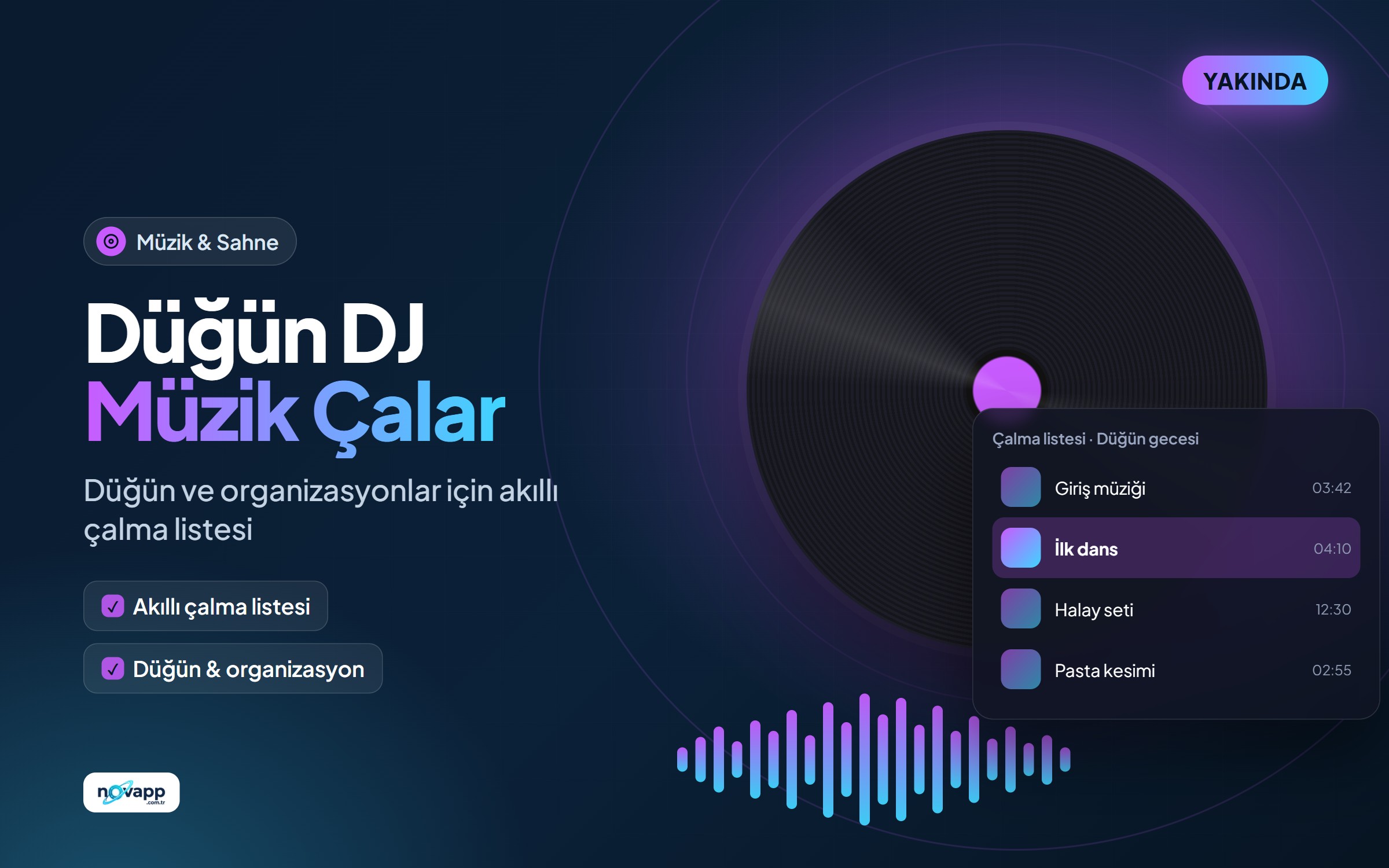
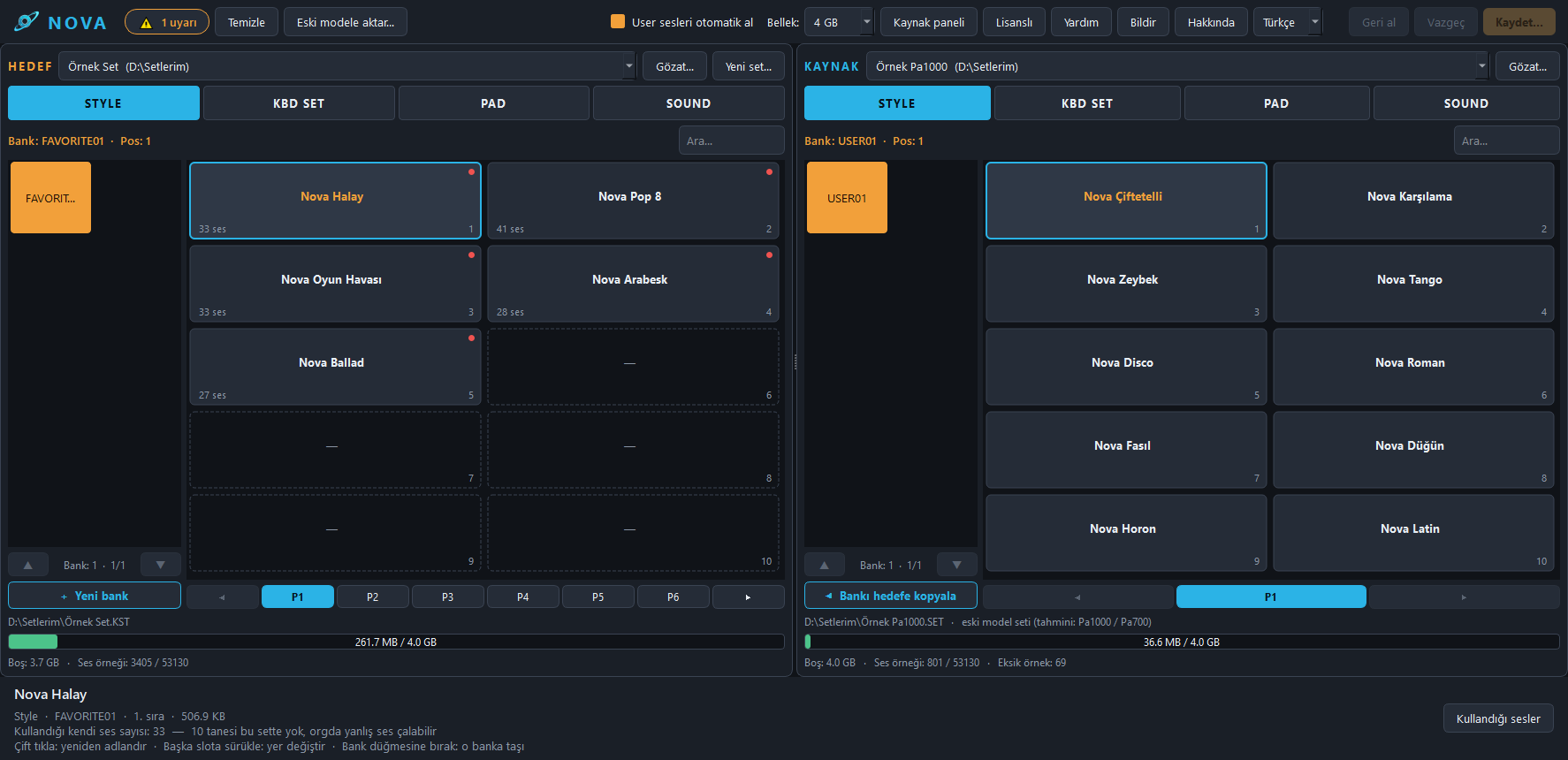
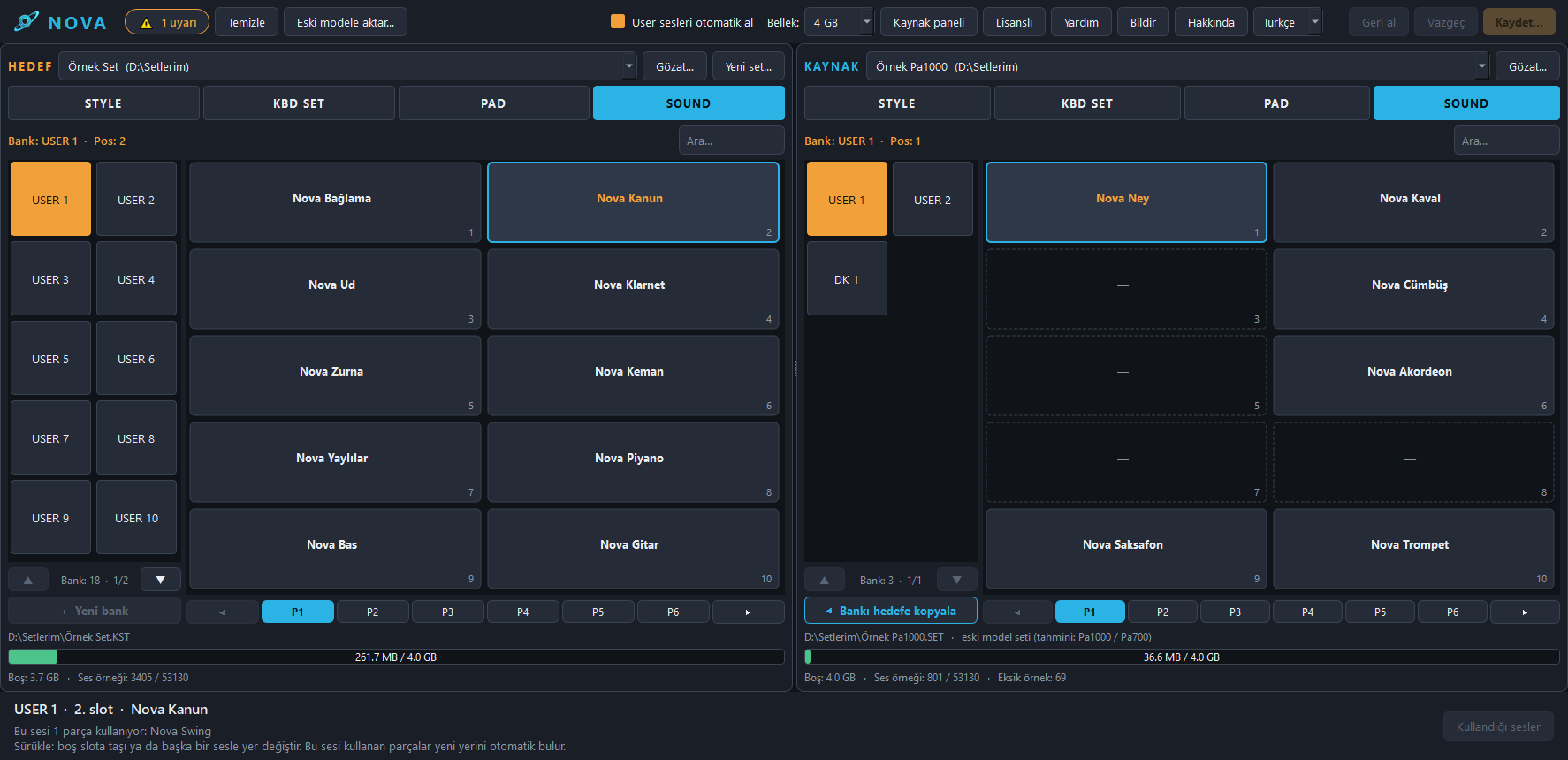
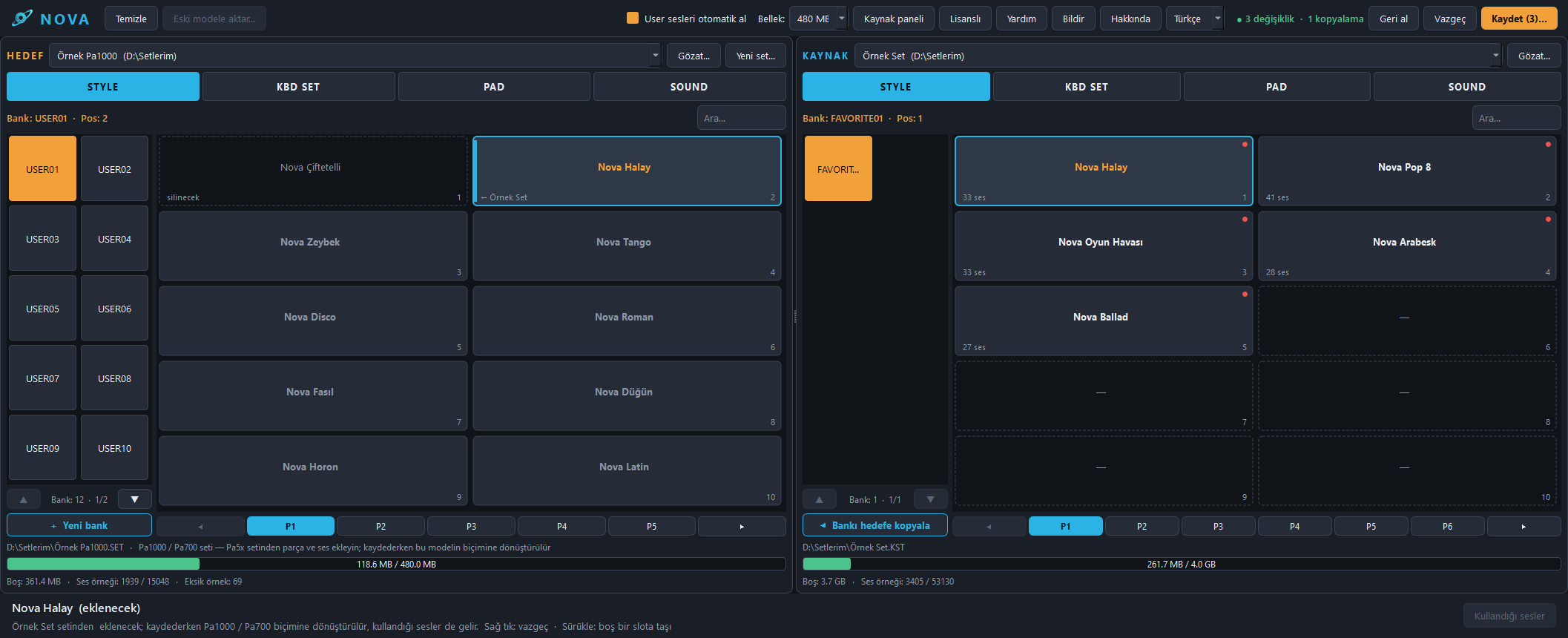
Nova Set Manager lets you open and edit the set folders of Korg Pa arranger keyboards on your computer. The screen looks like the keyboard's selection screen: STYLE, PAD, KEYBOARD SET and SOUND buttons, bank tabs and numbered slots. The target set is on the left, the source set on the right; drag and drop any item or a whole bank.
Highlights
- Smart copying: When you move a style or a sound, the sounds and samples it uses come along automatically; nothing is left missing.
- Moving between models: Pa4X, Pa1000, Pa700 and Pa3X family (Pa3X, Pa900, Pa600, Pa300, Pa3X Le) sets move to the Pa5x; Pa5x sets are prepared for older models; older models can also move to each other directly. Pa50, Pa60, Pa80, microARRANGER, Pa1X, Pa2X and Pa500 sets open too and their contents can be moved.
- Memory meter: Each model's memory is known; if a set will not fit the keyboard, you are warned before saving.
- Editing older-model sets: In a set of a model such as the Pa1000 you can delete, rename and add styles, pads, keyboard sets and sounds.
- Clean-up: Finds the samples no sound uses and unneeded files, and makes your set lighter.
- Safe to use: Your original set is never touched; every operation is saved as a new copy. Every step can be undone with "Undo".
- Turkish and English: The program's language and its user guide change with one click.
- Automatic updates: New versions are announced when the program opens and install in one click.
Licence and trial
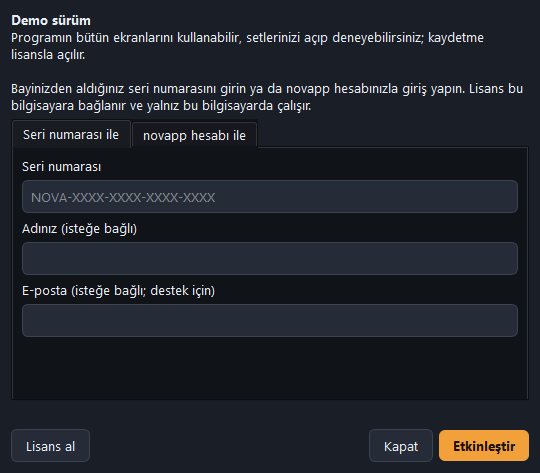
Without a licence the program runs as a demo: you can try every screen and open your own sets; saving needs a licence. Buy the licence with the "Buy now" button on this page, by card or bank transfer; if you have a discount code, enter it on the payment page. The licence is a one-time payment, has no end and is added to your novapp account; you activate it by signing in to the program with your account. You can also activate it with a serial number from your dealer. The licence works on one computer; when you change computers, your dealer or we move it to the new one.
Who is it for?
- Musicians who want to gather their favourite styles and sounds from different sets into one set
- Keyboard players moving from an older Pa to the Pa5x, or who own more than one model
- Stage professionals who want to keep their sets tidy and light
User guide
Read the user guide that explains every feature step by step. The guide is also inside the program: the Help button or F1.
Installation
The program comes with a Windows installer: it installs without administrator rights and adds a Start menu shortcut and, if you like, a desktop shortcut. The installer is in Turkish and English; the language you choose is the program's language too.
Status
Real keyboard tests on the Pa5x passed: sets merged from different sets and converted from older models play without problems on the keyboard. In tests on a real Pa1000, styles and sounds generally played without problems; the small bugs found were fixed. Moving sounds to the Pa3X family is new and waits to be tried on a keyboard.
Key features
- Dual-pane interface that looks like the keyboard screen
- Move styles, sounds, pads and keyboard sets by drag and drop
- Copy whole banks in one go
- Automatically bring along linked sounds and samples
- Clean up unused samples
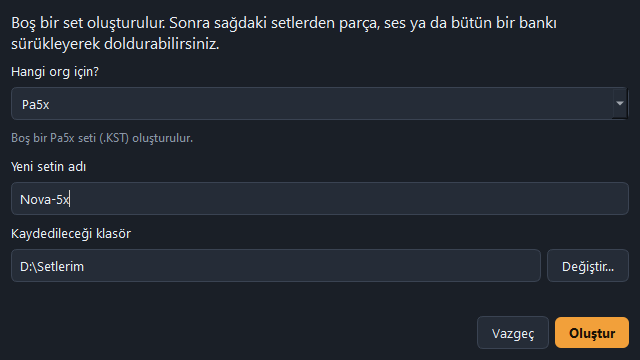
- Create new empty sets (Pa5x, Pa4X, Pa1000, Pa700, Pa3X, Pa900, Pa600, Pa300, Pa3X Le)
- Convert Pa4X / Pa1000 / Pa700 / Pa3X family sets to Pa5x
- Convert Pa5x sets to older models
- Direct conversion between older models
- Read Pa50 / Pa60 / Pa80 / microARRANGER / Pa1X / Pa2X / Pa500 sets
- Delete, rename and clean up in older-model sets
- Memory meter based on each model's capacity
- Turkish and English interface and user guide
- Automatic updates
- Send suggestions and bug reports from inside the program
- Save as a new copy without touching the original set
Screenshots
Development status
18 / 21 steps completed
Done
18-
Set scanning and inventoryList all styles, sounds, pads and samples in the set folder.
-
Dependency analysisMap sound → multisample → sample links.
-
Clean up unused samples
-
Merging setsMove items to another set together with their linked samples.
-
Renaming and editing
-
Keyboard-style interfaceDual pane, mode buttons, bank tabs, drag and drop.
-
Converting older models to Pa5xStyles, sounds, pads and keyboard sets from the Pa4X, Pa1000/Pa700 and Pa3X family.
-
Converting Pa5x to older models
-
Pa5x keyboard testsMerged and converted sets were tried on a real Pa5x.
-
Conversion between older-model sets
-
Deleting and renaming in older-model sets
-
Installer (.exe)
-
Turkish / English language support
-
Licence and demo version
-
Dealer serial number system
-
Deleting and cleaning sounds in older-model sets
-
User manual
-
Automatic updates
In progress
3-
Testing on a real Pa1000Styles and sounds generally work well. A rhythm bug found in testing was fixed; the fixes are being re-tested.
-
Bringing new-generation sounds to the Pa3X familyPa5x, Pa1000 and Pa4X sounds now go to Pa3X, Pa900, Pa600, Pa300 and Pa3X Le sets. Drum kit conversion is being extended; not yet tried on a real Pa3X-family keyboard.
-
Reading Pa1X, Pa50/60/80 and Pa500 setsOpen sets from even older models and convert them to Pa5x or other models.
To do
0- —
Development log
-
New feature
The program can now be bought from our website
You can buy the Nova Set Manager licence by card or bank transfer with the "Buy now" button on the product page. A discount code can be entered on the payment page. The licence is a one-time payment, never expires and is added to your novapp account; you activate it by signing in to the program with your account. If you do not have an account, you can open one on the purchase page with a few details.
-
Version v0.9.0
Nova Set Manager 0.9.0: first installer
- First Windows installer: installs without administrator rights and adds Start menu and desktop shortcuts
- The installer is in Turkish and English; the language you choose becomes the program's first language
- Pa5x, Pa1000 and Pa4X sounds and drum kits are moved to Pa3X, Pa900, Pa600, Pa300 and Pa3X Le sets
- New versions are announced when the program opens, install in one click and the program reopens by itself
-
New feature
More drum kits for the Pa3X family
If a drum kit has at most three factory drum samples whose Pa3X-family match is not yet known, the kit is now moved anyway; those hits stay silent, and the save report shows how many hits stayed silent in which kit. This way more than half of Pa5x drum kits, and about 40% of Pa1000/Pa4X drum kits, can be moved to Pa3X, Pa900, Pa600, Pa300 and Pa3X Le sets.
-
Progress
Drum kit transfer to the Pa3X family extended
With 21 drum kits re-saved on the Pa5x, the match table grew more than threefold. The share of drum kits that can be moved to Pa3X, Pa900, Pa600, Pa300 and Pa3X Le sets roughly tripled for Pa5x sets, and also tripled for Pa1000/Pa4X sets.
-
New feature
New-generation sounds are moved to the Pa3X family
User sounds made on the Pa5x, Pa1000 and Pa4X are now moved to Pa3X, Pa900, Pa600, Pa300 and Pa3X Le sets, converted into a form these keyboards can read. The conversion rules were worked out by comparing against sounds saved by the Pa5x itself. Sounds that use a factory sample whose match is not yet known are not moved, so they do not play with the wrong instrument; they are listed in the save report. The match table for drum kits is being extended.
-
New feature
User guide
A Turkish and English user guide with screenshots has been added to the program. It opens with the Help button on the top bar or with the F1 key, in the program's language.
-
New feature
Automatic updates
When the program opens it checks whether there is a new version; if there is, it shows what is new and downloads and installs it in one click. The downloaded file is verified before it is installed, so only updates we have published can be installed. You can also check by hand from the About screen.
-
New feature
Deleting and cleaning up sounds in older-model sets
In Pa1000, Pa700, Pa4X, Pa3X and Pa600 family sets you can now also delete the set's own sounds. "Clean up" prepares a clean copy of the set by removing the samples that no sound uses; it does not touch styles, pads or keyboard sets. It is the easiest way to free up space on models with small memory.
-
New feature
Pa1X and Pa2X user sounds are moved too
User sounds in Pa1X and Pa2X sets can now be moved, together with their samples, to the Pa5x and to other models such as the Pa1000. In a test, all 291 sounds and 1,685 samples of a Pa2X set were moved without anything missing.
-
New feature
Pa50, Pa60, Pa80, microARRANGER, Pa1X, Pa500 and Pa2X sets can be read
Sets from even older models can now be opened: styles and style settings (tempo, mixer, keyboard sets), Performances and pads. These sets open as a source; their contents can be moved to the Pa5x or to Pa4X, Pa1000, Pa700 and Pa3X family sets. Work is under way on moving the user samples in Pa1X and Pa2X sets.
-
New feature
Direct conversion between older models
For example, you can drag styles, pads and keyboard sets from a Pa600 or Pa3X set, together with the sounds and samples they use, straight into a Pa1000 set (the other direction works too). There is no longer any need for a Pa5x set in between.
-
New feature
Deleting and renaming in older-model sets
In Pa1000, Pa700, Pa4X, Pa3X and Pa600 family sets you can delete or rename the set's own styles, keyboard sets and pads. Undoing a rhythm added by mistake is now possible, and everything can also be reverted with "Undo".
-
Fix
Less memory used on older models
When drum kits are converted to older models, only the samples that are actually played are copied now. This saves space on models with less memory such as the Pa1000 and Pa700.
-
Fix
Fixed rhythms going silent midway on older models
In some rhythms converted from Pa5x to older models, parts shorter than the variation (for example a 4-bar drum part in an 8-bar variation) went silent on the second pass. These parts now repeat at their own length, just like on the Pa5x. Found during the Pa1000 test.
-
New feature
Memory limit for every model
The memory meter now also shows how much space is left for the Pa4X, Pa1000, Pa700, Pa3X, Pa900, Pa600, Pa300 and Pa3X Le. On the Pa4X you can choose by operating system version and on the Pa3X by memory card; if the set won't fit on the keyboard, you are warned before saving.
-
New feature
Serial number system for dealers
Our dealers can buy licences from the dealer panel; the more they buy, the bigger the discount. They can create as many serial numbers as licences they bought and give them to their customers, and reset a serial from the panel when a customer changes computers.
-
New feature
Licence and demo version
The licence is activated with a serial number or your novapp account and works on one computer. Once activated, the program can run offline for 30 days. Without a licence the program opens as a demo: you can try every screen and open your sets; saving is unlocked with a licence.
-
New feature
About and suggestion / bug report screen
You can send us suggestions, requests or bug reports directly from inside the program. Without an internet connection, your report is saved to a file.
-
New feature
The program is now in Turkish and English
The program's language can be chosen from the top bar. Other languages can be added later with a language file.
-
Progress
Real Pa1000 tests have started
In the first try the styles came through without problems. The sound format was adjusted so sounds play on the Pa1000; testing continues.
-
New feature
Converting Pa5x to older models works
The reverse direction is done: styles and sounds from Pa5x sets can be prepared for older-model sets. A halay style played just like the original, with its own drum kit.
-
New feature
Converting older models to Pa5x
Styles, sounds, pads and keyboard sets from Pa4X, Pa1000/Pa700 and Pa3X family sets are converted into a Pa5x set. The converted set opened on the Pa5x without freezing; sounds and styles play correctly.
-
Progress
Project started, first keyboard test passed
Set scanning, dependency analysis, clean-up, merging and editing are done. The keyboard-style interface is ready. A new set filled from different sets was loaded onto a Pa5x and everything worked.